Live product

Zinaka Analytics

Welcome to Zinaka Analytics, a powerful, free financial ledger designed to empower your finances, whether personally or in business. Track your income, expenses, profits and losses, all to help you manage your money and run your business better.

0%
Free to Use
No cost, no catch — built to help you grow.
0+
Business Insights
Track your data to unlock real intelligence.
0
Platforms
A PWA installable on Web, iOS, and Android.
Zinaka Analytics installation guide
Step 01

Install on Your Phone

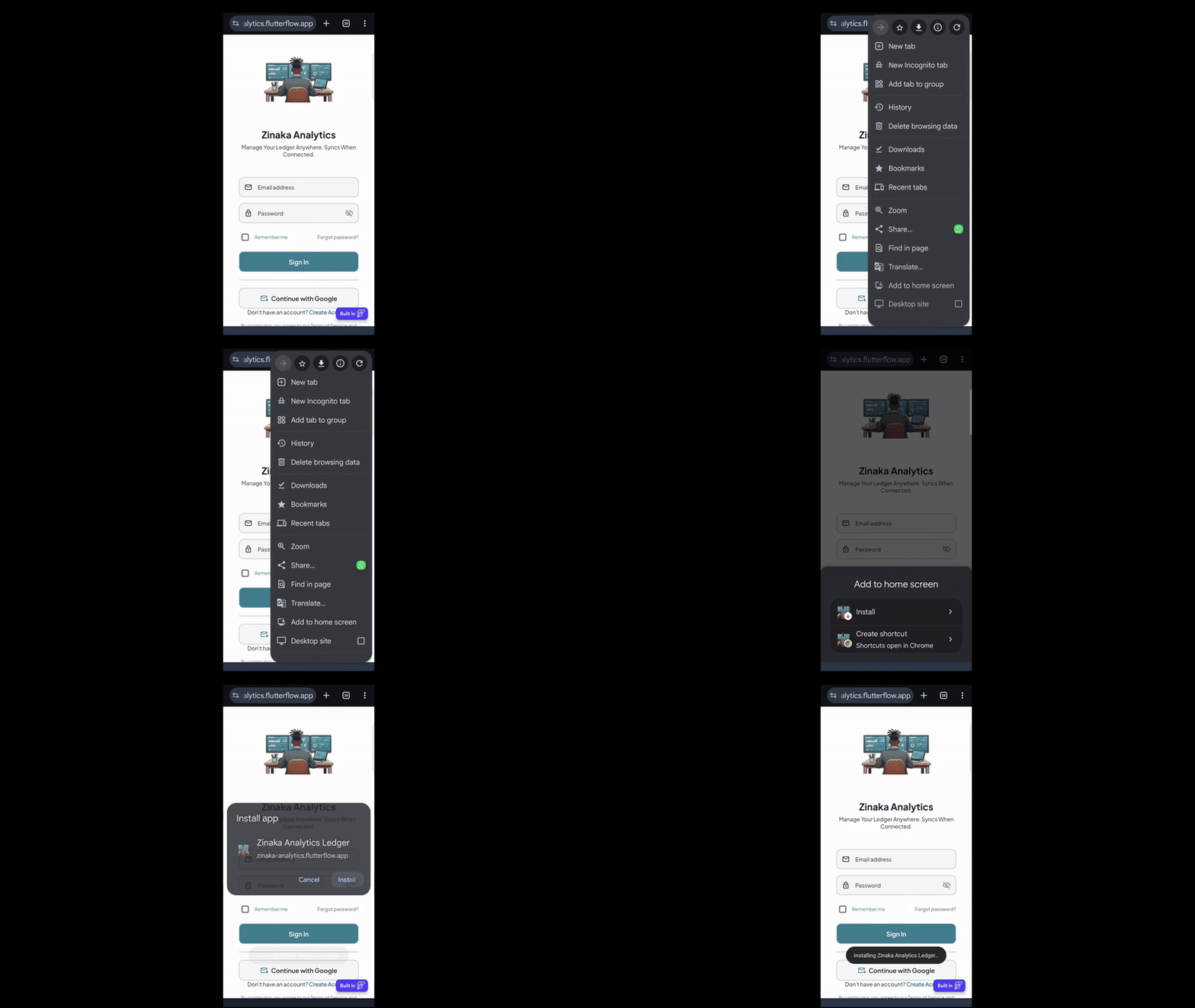
Get the native-app experience by installing Zinaka Analytics directly to your home screen.

Android (Chrome): tap the three-dot menu and select "Install app".

iPhone (Safari): tap the Share icon and select "Add to Home Screen".

Adding a transaction in Zinaka Analytics
Step 02

Add a Transaction

Quickly record income and expenses with a clean, mobile-first design. Choose a ledger, enter the amount, mark it as income or an expense, and add a description to keep everything organized.

Viewing transaction history in Zinaka Analytics
Step 03

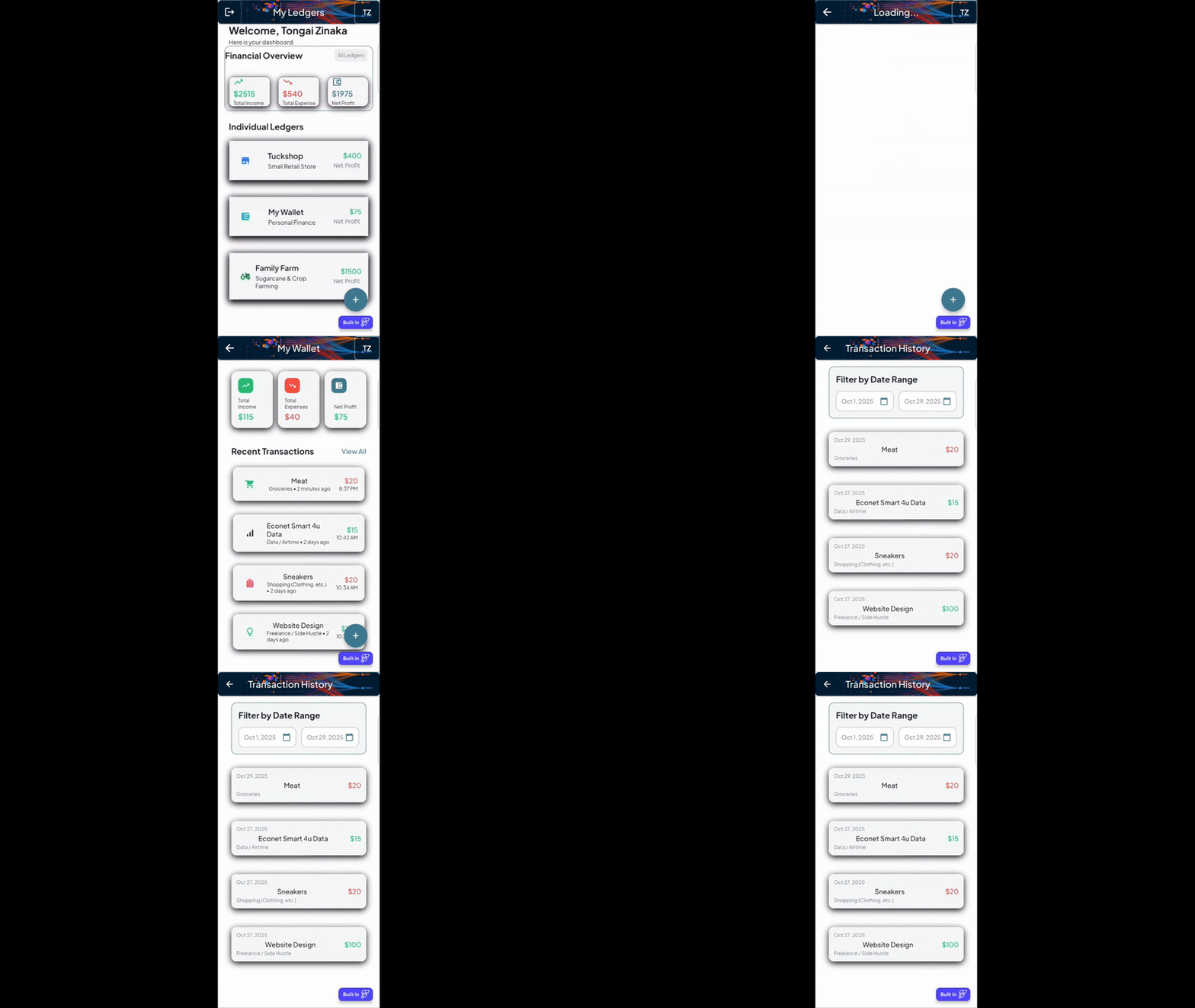
View & Edit History

Drill into any ledger to see the full transaction history, instantly view net profit for a business or project, and tap any entry to edit its details.

Deleting a transaction in Zinaka Analytics
Step 04

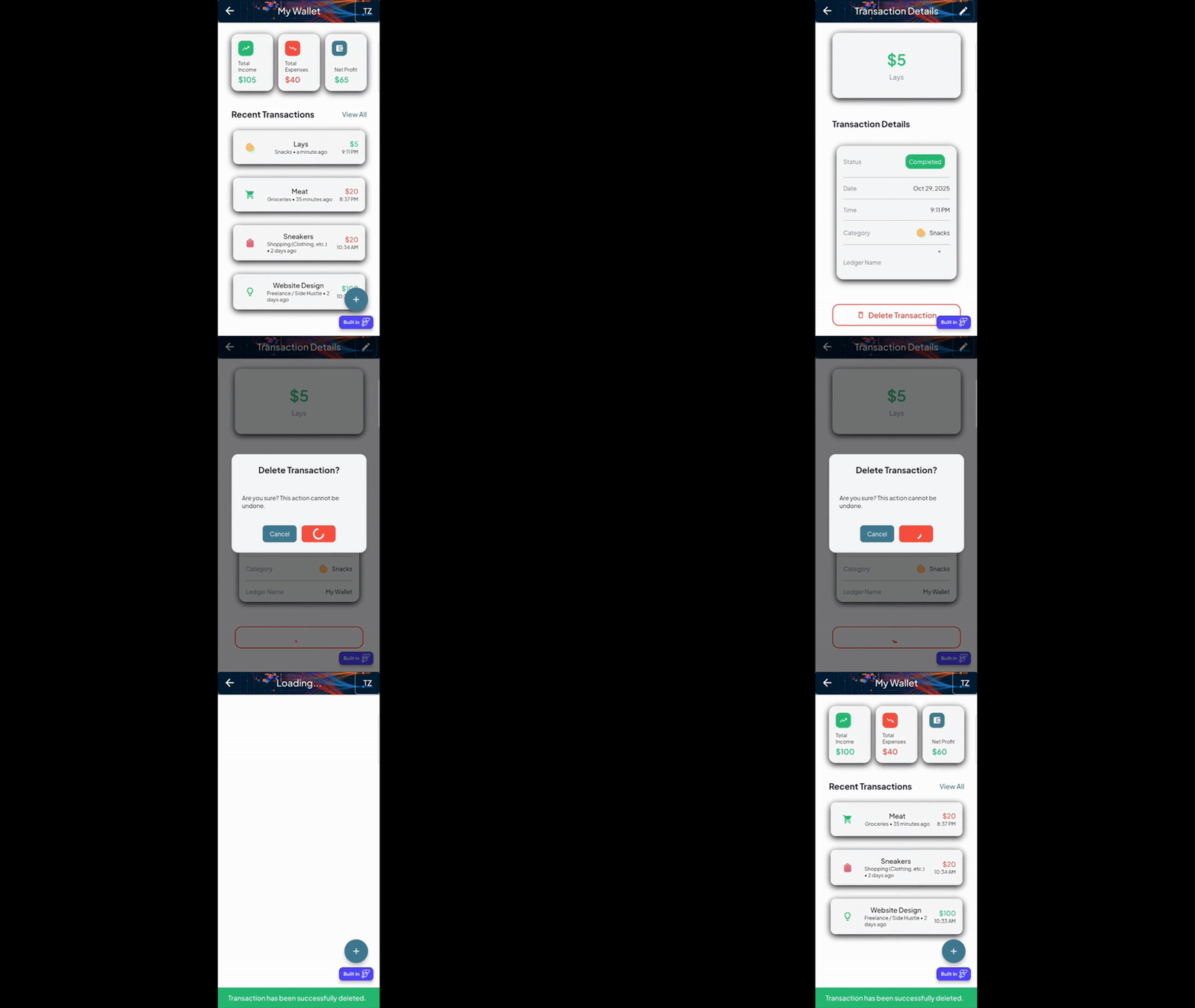
Delete Transactions or Ledgers

Full control over your data — remove individual transactions from within a ledger, or delete entire ledgers from your dashboard.

Pro Tip for the Best Experience: This app is designed for cross-platform use. For the most reliable navigation, please use the on-screen back buttons within the app itself, as the native Android back button may not always behave as expected.

Ready to take control of your finances?

Launch Zinaka Analytics Now